Pixel Art Character Height: How to Scale Sprites Without Making Them Look Wrong
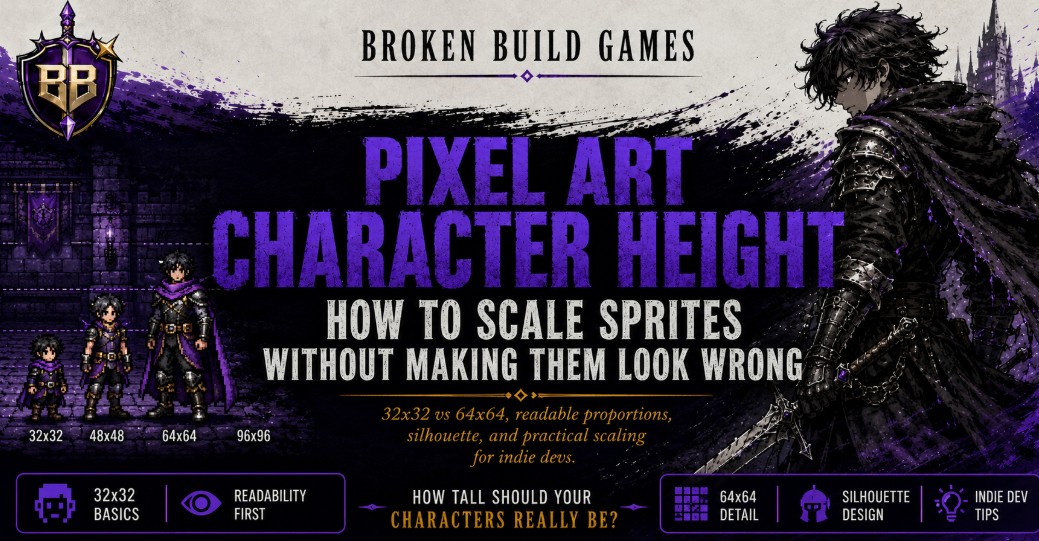
Pixel art character height is not about converting meters into pixels with perfect realism. It is about creating a visual scale that feels consistent inside the game. If one character is 1.75m and another is 2m, the taller character should look noticeably bigger, but not so huge that they break the art style, animation grid, or gameplay readability.
The practical rule is simple: decide the “average human” sprite height first, then scale other characters by proportion, but soften the difference for readability. In a 32×32 sprite, a 2m character may only need 2 to 4 extra pixels of visible height. In a 64×64 sprite, the same difference can usually be shown with 5 to 8 extra pixels.
Affiliate disclosure: this article contains affiliate links. If you buy through them, Broken Build Games may earn a small commission at no extra cost to you.
Quick Answer: How Do You Decide Pixel Art Character Height?
Start by choosing a baseline sprite. For example, if your average 1.75m character is 28 pixels tall inside a 32×32 frame, a 2m character would be mathematically around 32 pixels tall. But using the full 32 pixels may leave no room for hair, hats, idle motion, or animation spacing.
So instead of scaling with strict realism, use readable proportional exaggeration:
- 32×32 sprites: show height differences with small pixel changes, posture, head size, shoulder width, and silhouette.
- 64×64 sprites: use more accurate height variation because there is enough pixel space to show subtle differences.
- Gameplay sprites: prioritize clarity over exact anatomy.
- Portraits or cutscene sprites: can show more realistic body proportion differences.
The goal is not to make a 2m character look “mathematically correct.” The goal is to make them read as taller without disrupting the game’s visual language.
The Core Problem With Real Height in Pixel Art
Real-world height differences are often smaller than people imagine. A 2m character is much taller than a 1.75m character in real life, but in a tiny pixel sprite, that difference can become awkward fast.
If you convert height directly, your sprites may create three problems:
- The taller character fills the whole frame and loses animation space.
- The shorter character looks like a child even when they are meant to be an adult.
- The lineup becomes inconsistent because some characters follow realism while others follow style.
This is why many pixel art games use compressed scale. Characters are not drawn like realistic humans. Heads are larger, legs are shorter, bodies are simplified, and the silhouette matters more than exact anatomy.
A Simple Formula for Pixel Art Character Height
Use this formula only as a starting point:
New sprite height = baseline sprite height × new character height ÷ baseline character height
Example:
- Baseline character: 1.75m
- Baseline sprite height: 28 pixels
- Taller character: 2m
- Calculation: 28 × 2 ÷ 1.75 = 32 pixels
Mathematically, the 2m character should be around 32 pixels tall. But in a 32×32 frame, that is usually too tight. A better gameplay-friendly result might be 30 or 31 pixels, with the rest of the height difference shown through body shape.
32×32 vs 64×64: Why the Same Height Difference Feels Different
A 32×32 sprite gives you very little room to communicate detail. One pixel can change the entire feeling of the character. A forehead, boot, shoulder, or hair shape might be only one or two pixels thick.
A 64×64 sprite gives you more room to express anatomy, clothing, posture, and body type. That means you can use height more directly without making the character look strange.
| Sprite Size | Best Height Strategy | Example Difference Between 1.75m and 2m |
|---|---|---|
| 32×32 | Compress the difference and support it with silhouette. | Around 2 to 4 pixels taller. |
| 64×64 | Use more proportional scaling and better anatomy. | Around 5 to 8 pixels taller. |
| Portrait sprite | Show height through framing, shoulders, neck, and face size. | More visual freedom than gameplay sprites. |
How to Make a 2m Character Look Taller Without Looking Giant
The trick is to avoid putting all the height difference in the legs or head. If you simply stretch the sprite upward, the character may look like a different art style. Instead, distribute the difference across the whole silhouette.
1. Add Height Slowly
For a 32×32 sprite, start by adding only 2 pixels. Then compare the character beside the baseline sprite. If the difference is too subtle, add one more pixel.
Pixel art is sensitive. A 4-pixel increase in a 32-pixel frame is not small. It is 12.5% of the entire frame height.
2. Use Shoulder Width
A taller adult often reads as taller when the sprite has broader shoulders, a longer torso, or a more upright posture. You do not need to rely only on vertical pixels.
3. Keep the Head Size Close
If the taller character’s head becomes much larger, they may look like they belong to a different species or scale system. In many pixel art styles, adult characters share a similar head size while the body changes underneath.
4. Change Posture, Not Just Height
A confident tall character can stand straighter. A smaller character can have a more relaxed stance. This lets you communicate height difference without turning the lineup into a ruler.
5. Protect the Animation Frame
Leave room for idle bounce, attack frames, hair movement, hats, weapons, and vertical motion. A character that touches the top of the frame in the neutral pose may become difficult to animate later.
A Practical Height Chart for 32×32 Sprites
Here is a practical way to think about character height if your average adult sprite is around 28 pixels tall inside a 32×32 canvas.
| Character Height | Suggested Sprite Height | Visual Notes |
|---|---|---|
| 1.60m | 25–26 px | Shorter adult, not necessarily childlike. |
| 1.75m | 28 px | Baseline average adult. |
| 1.85m | 29–30 px | Noticeably tall without dominating the frame. |
| 2.00m | 30–31 px | Very tall, but still usable in gameplay. |
This chart is not a law. It is a working scale. The correct answer depends on the camera angle, the art style, the animation system, and how much space your characters need during movement.
A Practical Height Chart for 64×64 Sprites
With 64×64 sprites, you can show more realistic differences because the character has more pixel space. If your 1.75m character is around 52 pixels tall, a 2m character can sit around 58 to 60 pixels tall without feeling as extreme.
| Character Height | Suggested Sprite Height | Visual Notes |
|---|---|---|
| 1.60m | 47–49 px | Shorter frame with adult proportions. |
| 1.75m | 52 px | Baseline adult size. |
| 1.85m | 55–56 px | Tall but still natural. |
| 2.00m | 58–60 px | Clearly imposing without becoming a boss-sized sprite. |
What Players Often Get Wrong About Pixel Art Character Height
The common misunderstanding is thinking every character needs to follow real-world measurement exactly. That usually creates worse pixel art, not better pixel art.
A sprite is not a biology diagram. It is a readable game object. The player needs to understand who is taller, who is stronger, who is young, who is older, who is ordinary, and who is unusual. Exact height is only one tool in that system.
In many games, a character’s height is communicated through a combination of:
- Head-to-body ratio
- Shoulder width
- Leg length
- Idle stance
- Costume shape
- Weapon size
- Animation weight
- How they compare beside other characters
This is why two sprites can have almost the same pixel height but still feel different. A slim 30-pixel character and a broad 30-pixel character do not read the same way.
Broken Build Perspective: Height Is a Design Language
Good pixel art character height is not just a technical decision. It is part of the game’s design language.
A tall character can feel protective, intimidating, elegant, awkward, heroic, or alien depending on how the sprite is built. Height alone does not create personality. The silhouette does.
For example, a 2m knight and a 2m scholar should not simply be the same tall sprite with different clothes. The knight may have a wider stance, heavier shoulders, and a grounded center of gravity. The scholar may be tall but narrow, with a longer coat, thinner arms, and a slightly bent posture.
That is where pixel art becomes character design instead of measurement conversion.
How to Build a Consistent Height System
Before drawing every character, create a small height ladder. This keeps the cast consistent and prevents every new sprite from becoming a separate guess.
Step 1: Pick the Average Adult
Choose one character as the baseline. This character represents your normal adult scale. In a 32×32 game, that might be 27 or 28 pixels tall. In a 64×64 game, it might be 50 to 54 pixels tall.
Step 2: Define Categories, Not Exact Numbers
Instead of creating a separate pixel height for every centimeter, group characters into readable categories:
- Very short
- Short adult
- Average adult
- Tall adult
- Very tall adult
- Large creature or boss
Step 3: Test Characters Side by Side
Never judge a sprite alone. Place the 1.75m character and the 2m character beside each other on the same ground line. If the taller one reads as taller within one second, the design works.
Step 4: Check the Sprite in Motion
A height that looks good in an idle pose may fail during walking, attacking, jumping, or turning. Always test the tallest pose in the animation before locking the frame size.
Should a 2m Character Use a Bigger Canvas?
Not always. A 2m character can still fit inside the same 32×32 or 64×64 canvas if your baseline character leaves enough empty space. This is why you should avoid drawing the average character too close to the top of the frame.
For example, if your average 32×32 character is already 31 pixels tall, you have no room left for taller characters. But if the average character is 27 or 28 pixels tall, you can still create a tall character at 30 or 31 pixels.
Only use a bigger canvas when the character is meant to feel mechanically different, such as a giant enemy, boss, mount, monster, or large armored unit.
A Better Rule Than Realistic Scaling
Instead of asking, “How many pixels is 2 meters?” ask this:
How much taller does this character need to feel compared to the rest of the cast?
That question produces better art decisions. A 2m friendly shopkeeper may only need to be slightly taller. A 2m rival warrior may need broader shoulders, a longer stance, and a more imposing silhouette. Same height, different design purpose.
Pixel art works best when scale supports personality, gameplay, and readability at the same time.
FAQ
How many pixels tall should a 1.75m character be in 32×32 pixel art?
A practical range is usually 27 to 29 pixels tall inside a 32×32 canvas. This leaves room for animation, hair, hats, and taller characters.
How tall should a 2m character be in a 32×32 sprite?
Usually around 30 to 31 pixels if the average adult is 28 pixels tall. Going all the way to 32 pixels can make the sprite feel cramped unless the character is meant to dominate the frame.
Should I scale pixel art characters with exact real-world math?
Use real-world math as a starting point, not the final answer. Pixel art needs visual compression because small sprites exaggerate every pixel difference.
How do I show height difference without making characters look weird?
Use a mix of height, posture, shoulder width, head-to-body ratio, clothing shape, and animation weight. Do not rely only on stretching the sprite vertically.
Is 64×64 better than 32×32 for character height variation?
Yes, if height variation is important to your character design. A 64×64 sprite gives you more room to show anatomy, clothing, and subtle proportion differences.
Why This Makes Your Cast Feel More Believable
A good height system makes your cast feel intentional. The player may never know that one character is 1.75m and another is 2m, but they will feel the difference when the silhouettes are clear.
The strongest approach is to build a baseline, compress realistic measurements, and use character shape to finish the idea. Height should support the design, not control it.
If you are building your own pixel art game, create a simple lineup before drawing full animations. Put every main character on the same ground line, test the scale in motion, and adjust the silhouettes until each one feels distinct without breaking the world.